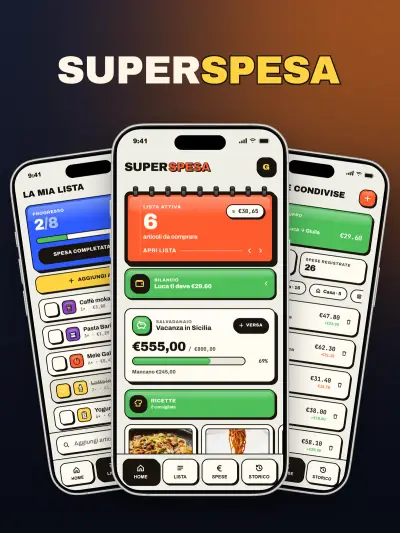
SuperSpesa — Couple Expenses App
Shopping list, split expenses and piggy bank in one app, for people who shop as two or as four.
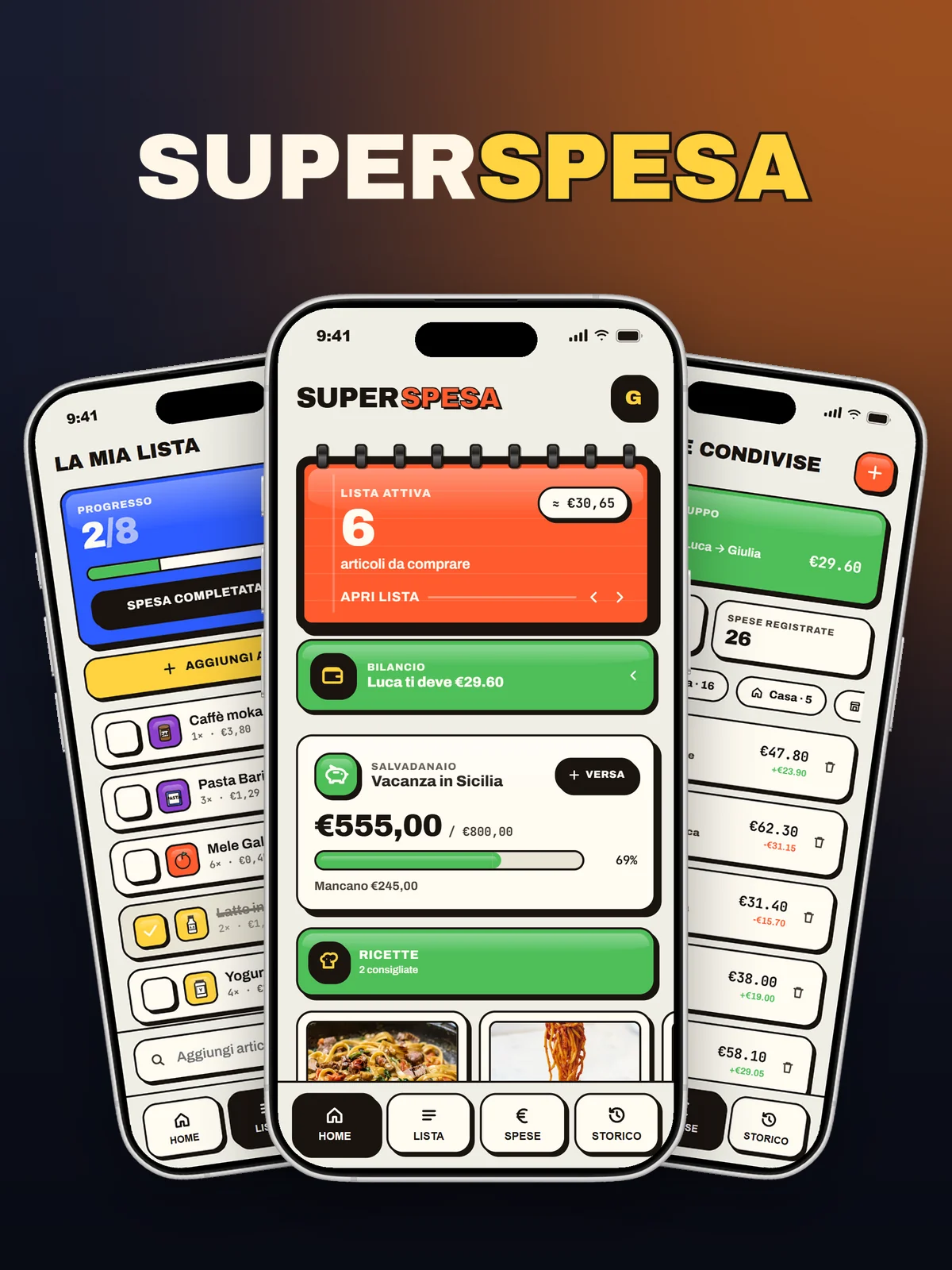
SuperSpesa is an Android app for people who shop together, as two or as four: couples, families, flatmates. It brings together three things that usually live in different places: the shopping list, the tally of who paid for what, and the money being set aside. On opening, everything you need is there: the items still to buy with an estimated total, the group balance, the savings jar with its goal and two recipes suggested from the last shop. At the bottom there are four tabs: Home, List, Expenses and History. The style is that of a pop notebook, with raised coloured blocks, thick black outlines and big numbers. The phone above runs the real app, with demo data.
catalogue products with indicative price
tabs: Home, List, Expenses, History
characters in the group invite code
visual styles, each light and dark
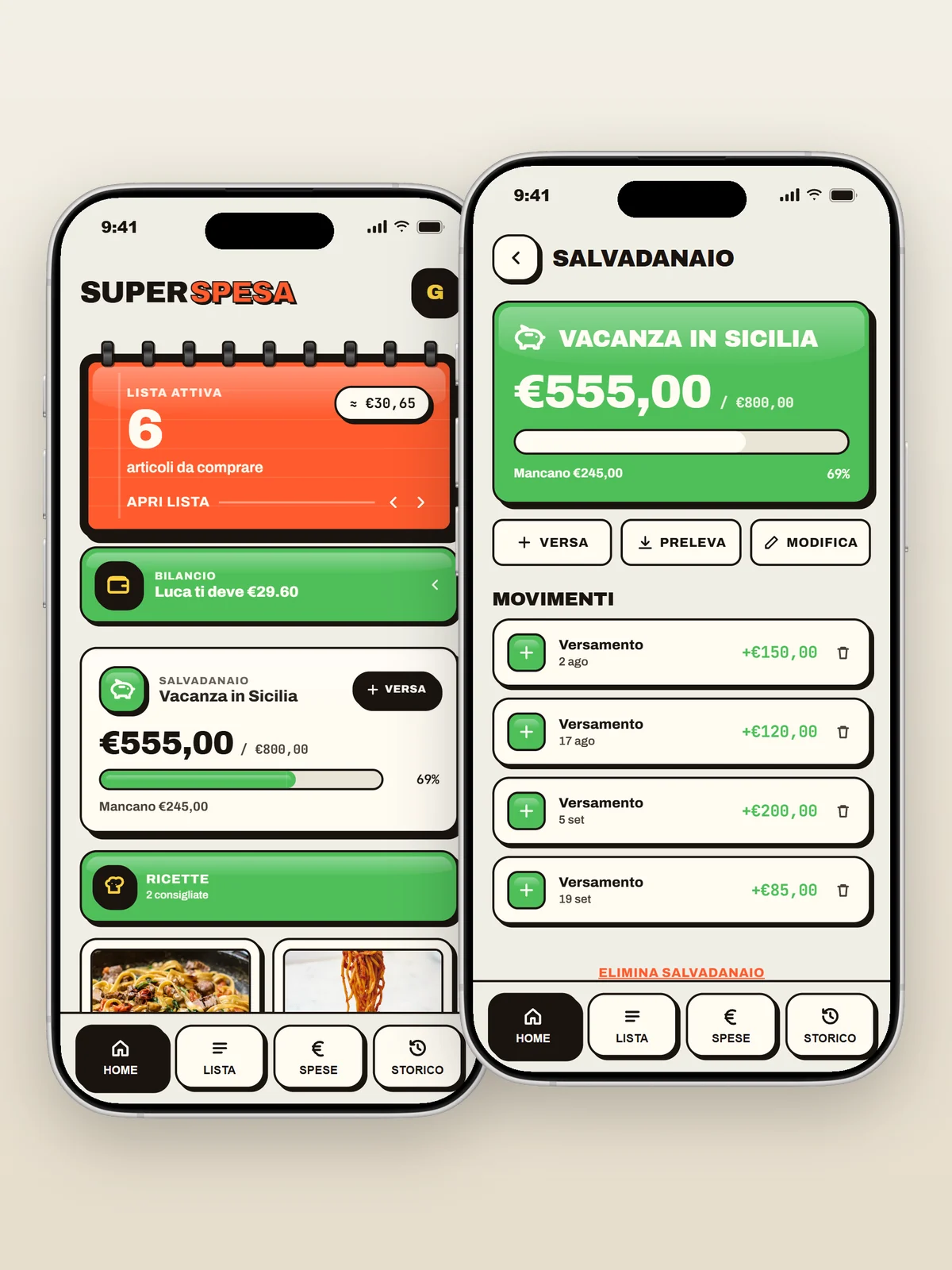
List, bills and savings on one screen
On opening: the items still to buy with the estimated total, the group balance in one line, the piggy bank with its goal and recipes suggested by the last shop. The piggy bank tracks deposits and withdrawals up to the goal, such as a holiday.
- Estimated total
- Shared goal
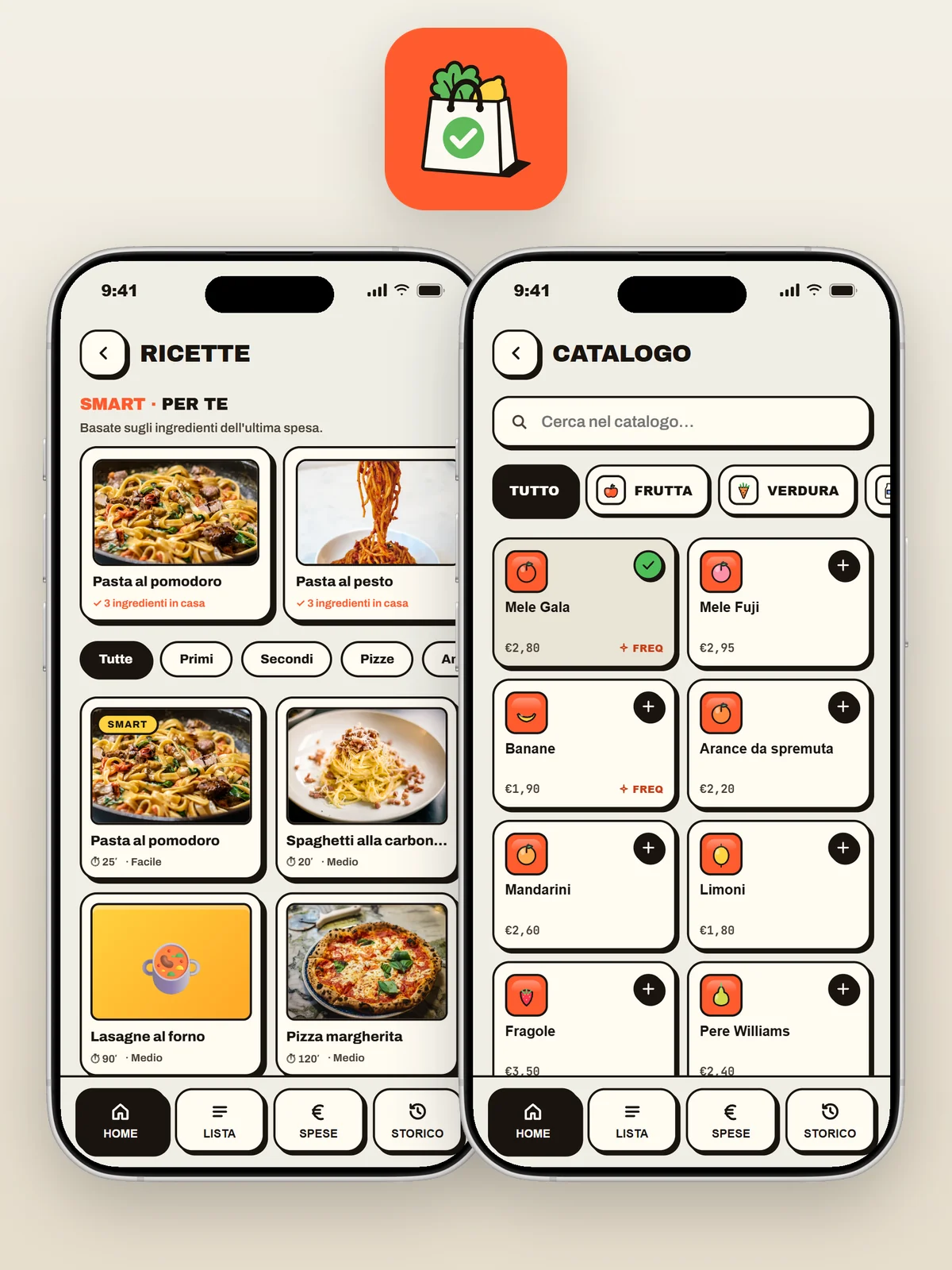
A list that nearly writes itself
Over a hundred products with an indicative price, grouped by aisle: a few letters are enough to find the right one. In the shop they are ticked one by one, and everyone in the group sees the tick on their own phone. Recipes start from what was just bought.
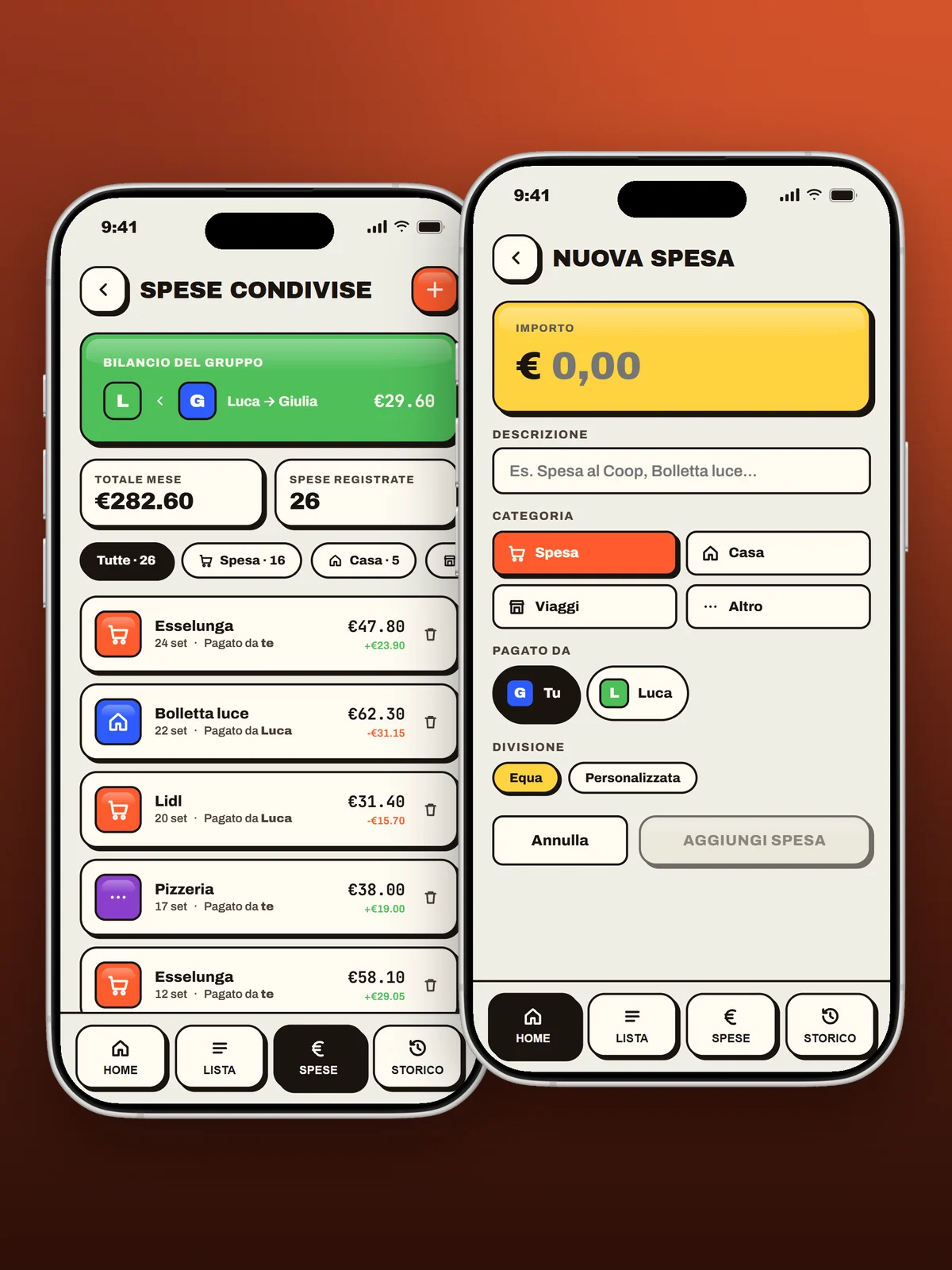
Who paid, and how much
Every expense, even a bill or a pizza night, records who paid and how it is split: half and half or with custom shares. The balance does the maths and says in one line who owes what to whom.
- Half and half
- Custom shares
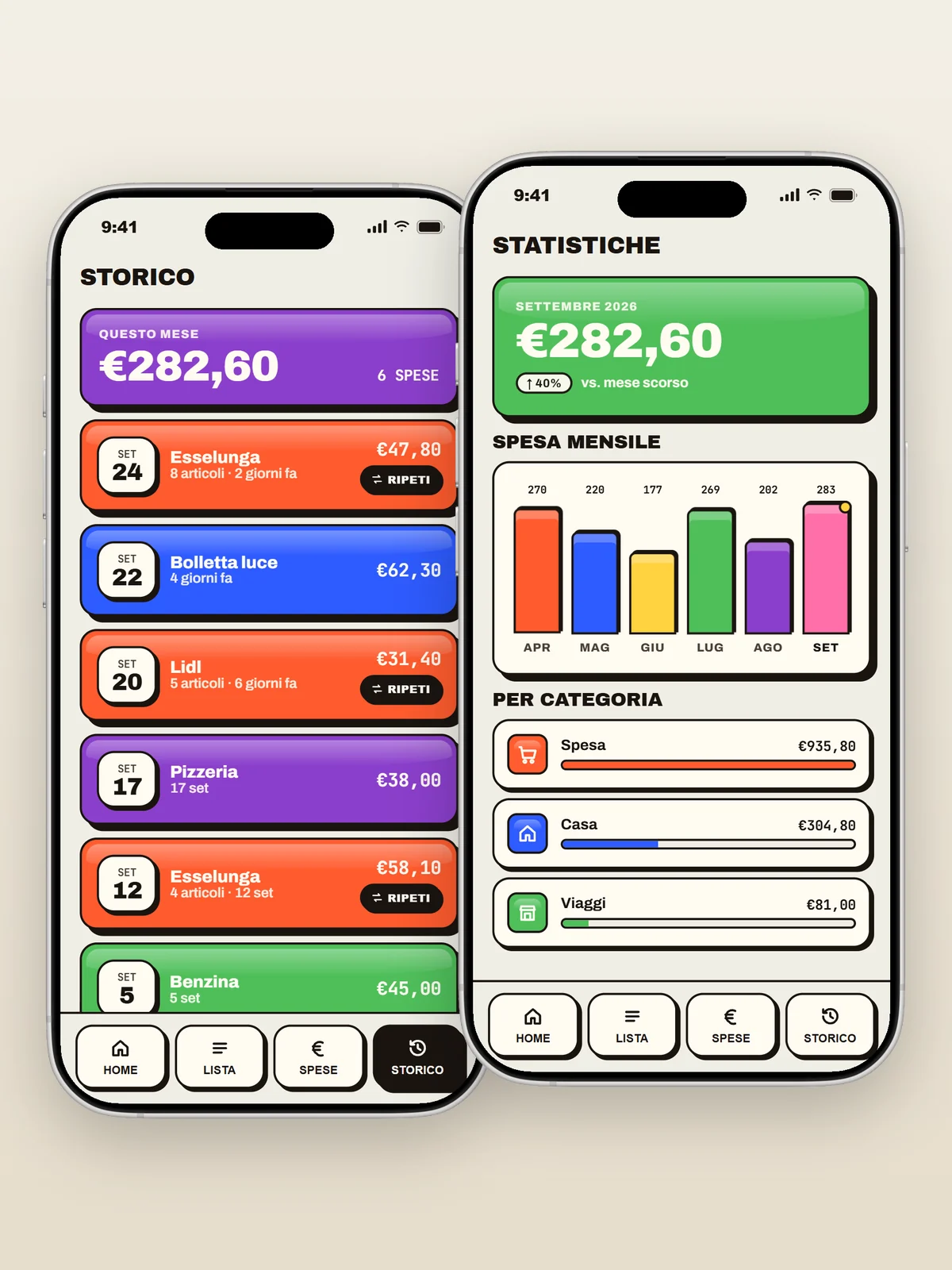
Where the money goes, month by month
Every closed shop goes into the history with store and amount, and next week it repeats with one tap. Statistics show the monthly trend and the weight of each category, from groceries to home to travel.
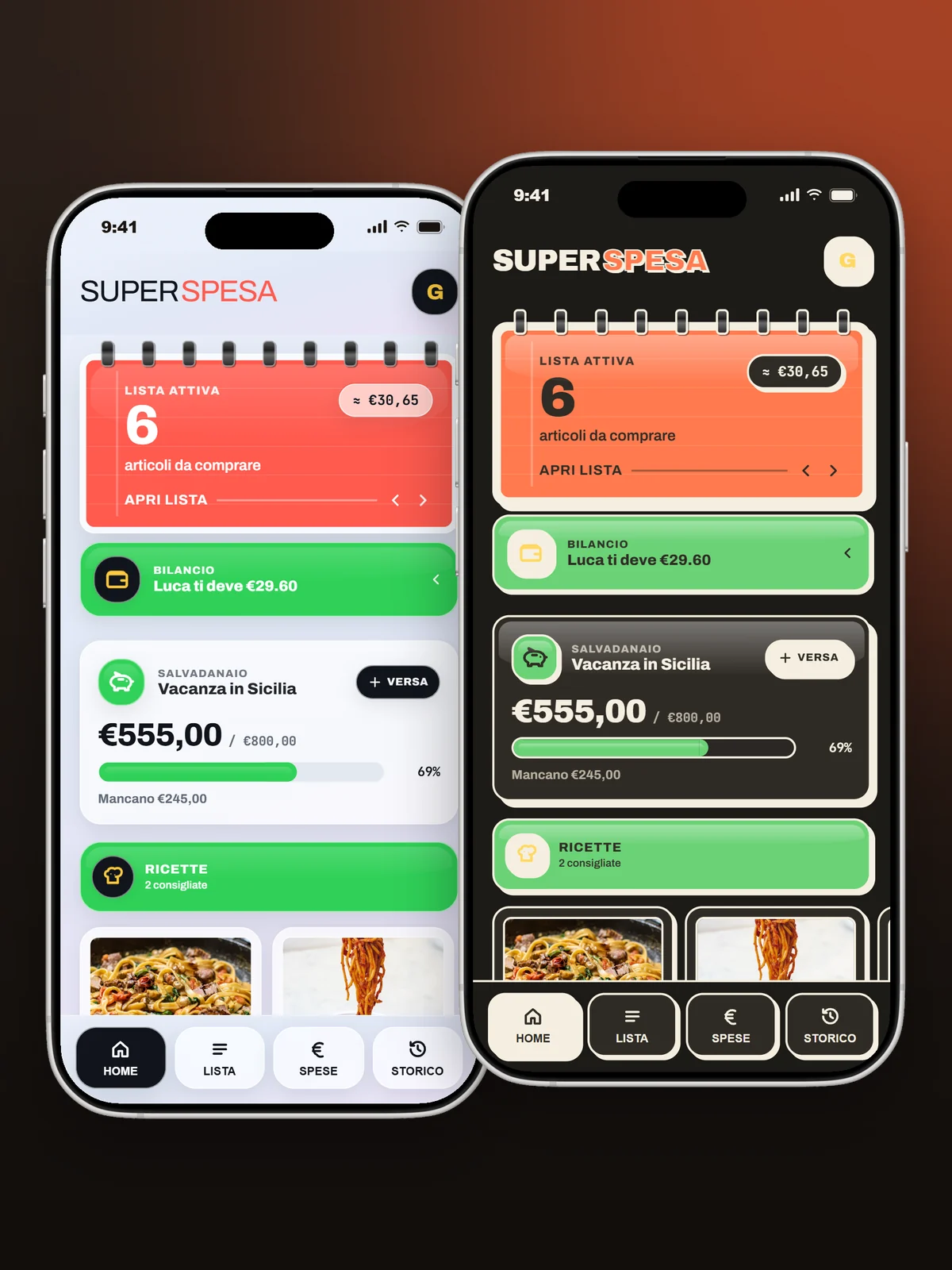
Pop notebook, in the dark too
The default style is a pop notebook, with raised colour blocks, thick black borders and big numbers. The alternative is the Glass style, and each has its own dark theme.
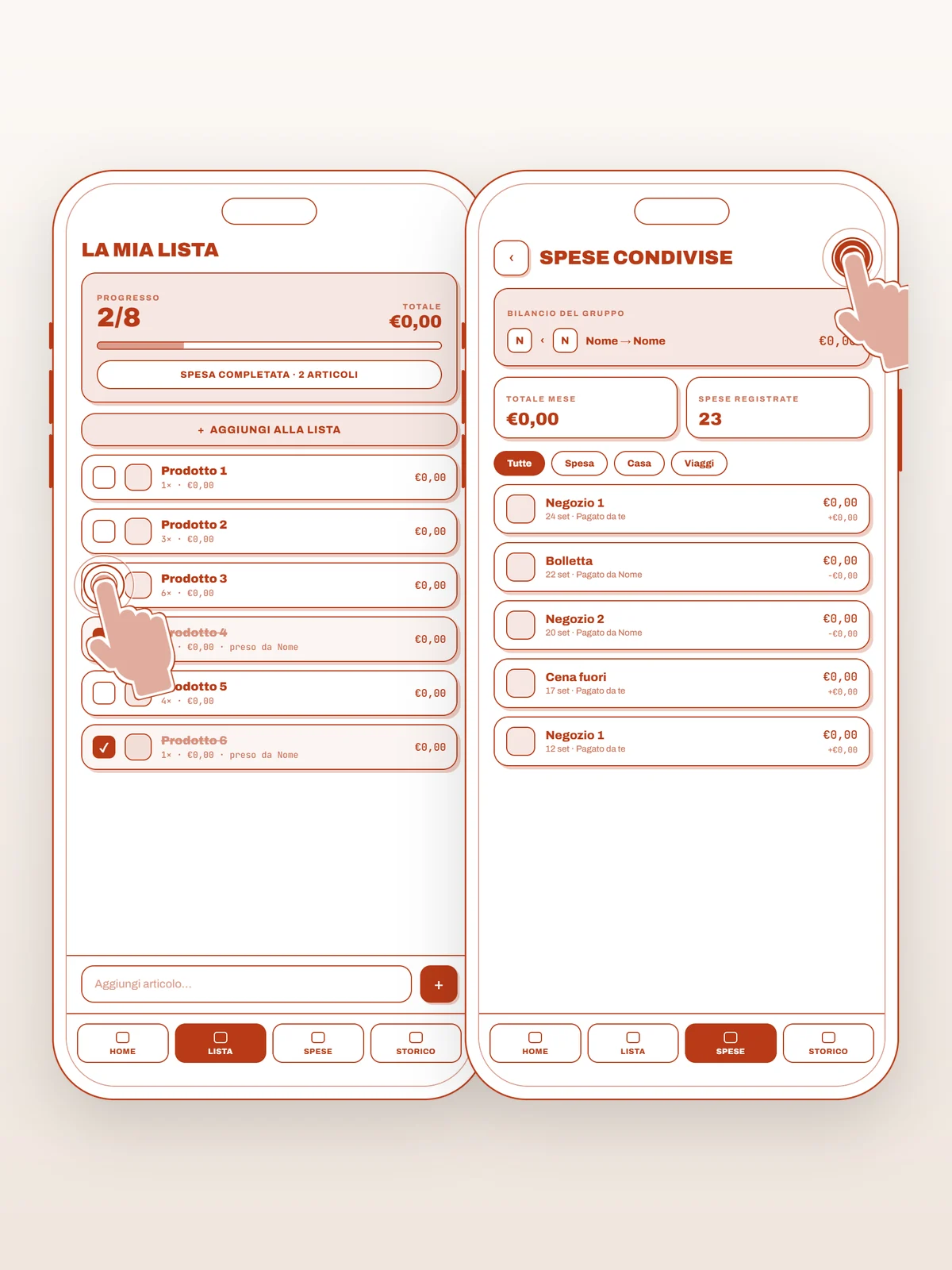
Designed with a trolley in hand
The list and shared expenses started as bare screens with the taps marked on them: big buttons, one action per screen, nothing to hunt for while pushing a trolley.
Design choices, step by step
Idea
We started from a simple question: why do the shopping list and the household accounts live in two different apps? People who shop together need to know what is missing, but also who paid last time.
Interface
One main action per screen, big buttons to press with a trolley in hand, a colour for each product category. Two visual styles to choose from, Brutalist and Glass, each with a light and a dark theme.
Groups
You create a group and invite the others with an eight-character code. List and expenses are shared, while savings jar and preferences stay personal.
Offline
At the supermarket the signal often drops: the app still opens and saves everything on the phone, then syncs by itself when the network is back.
Privacy
No ads, no tracking, data stored in Europe and account deletion straight from the app.
Publishing
We also prepared the Google Play listing: icon, feature graphic, screenshots, copy and the data safety form.
Showreel
For the website we put the real app inside the phone, using itself: it opens the list, ticks off products, adds one and moves on to shared expenses and history.
Got an idea for an app?
Tell us in a free call: we'll tell you how we would build it, how long it would take and what it would cost. More about our custom apps for businesses.
Book Your Video Call