MYO Scraper — Client Finder App
The studio’s tool for finding new clients: it searches companies, finds the right email and writes the first message.
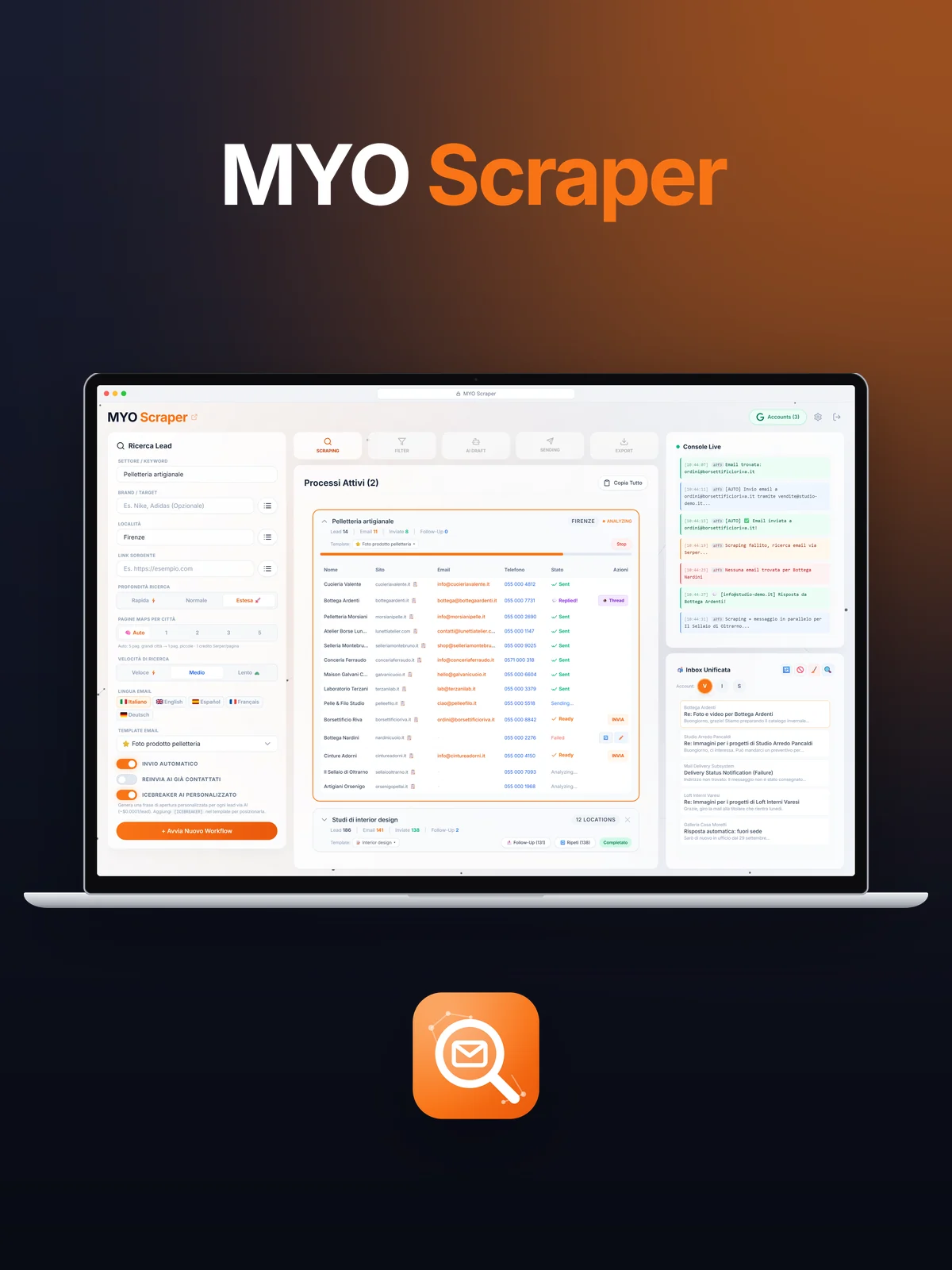
MYO Scraper is the tool we built to find new clients. You type a sector and a city, for example "artisan leather goods" in Florence, and the app looks up the businesses in the area, visits their websites, finds the right email address and prepares a personalised first email for each of them, with an opening line that mentions a real detail about the business. Then it sends it from the studio's inboxes, keeps track of who replied and reminds you when a follow-up is due. It is a web application for the computer, split into three columns: the search on the left, the running processes in the middle, and on the right a console that reports live what it is doing, plus the incoming mail. The animation above runs a reconstruction of the app, with made-up businesses and data.
columns: search, processes, console
stages: Scraping, Filter, AI Draft, Sending, Export
words at most in every email
send per address per day, no more
The table that fills itself
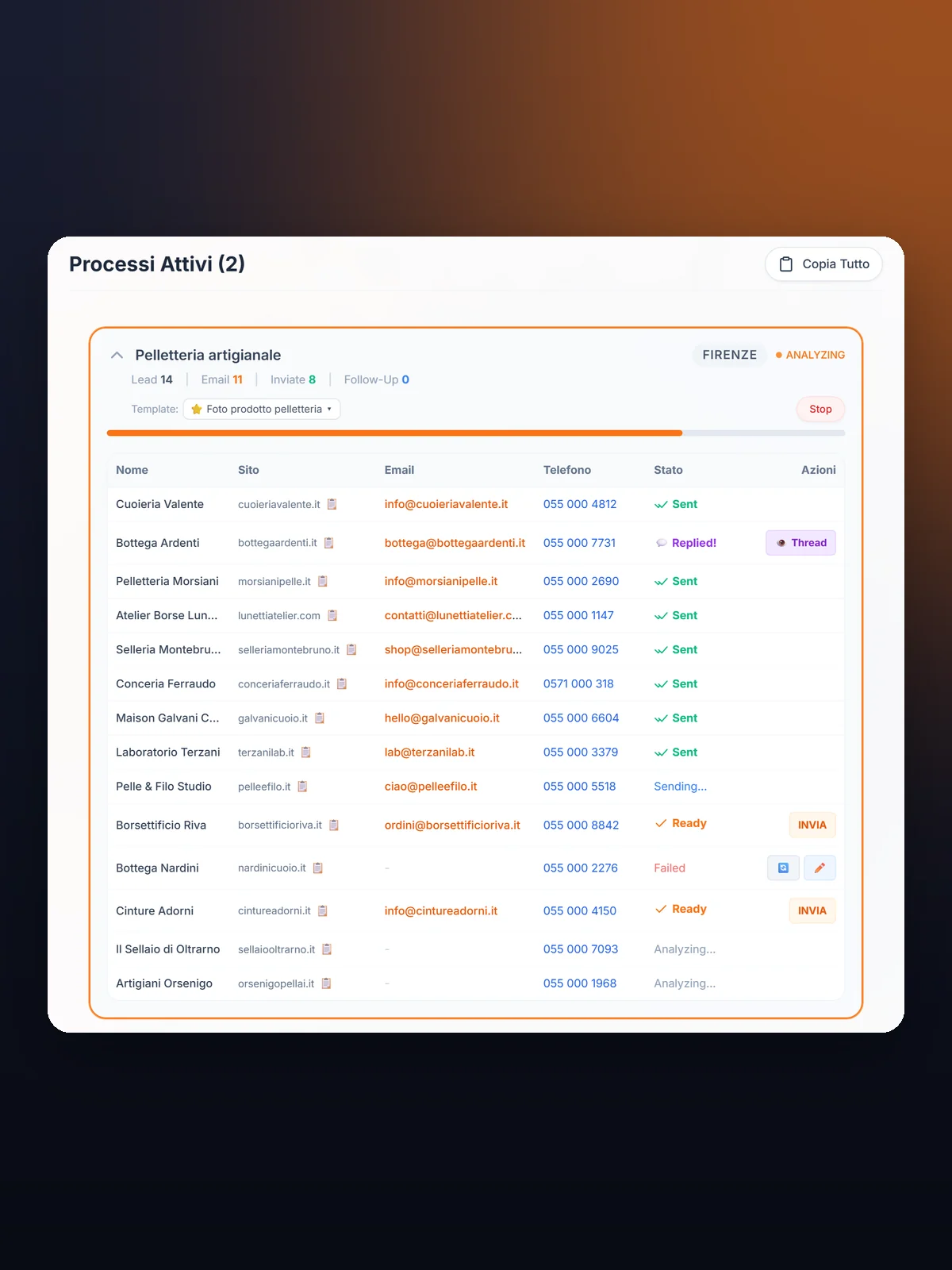
Every search is a workflow with its own card: companies found, emails found, emails sent. Rows arrive while the app works and change status before your eyes: analysing, ready, sending, sent. Whoever replies turns purple.
- Row-by-row status
- Replies highlighted
An email that mentions something real
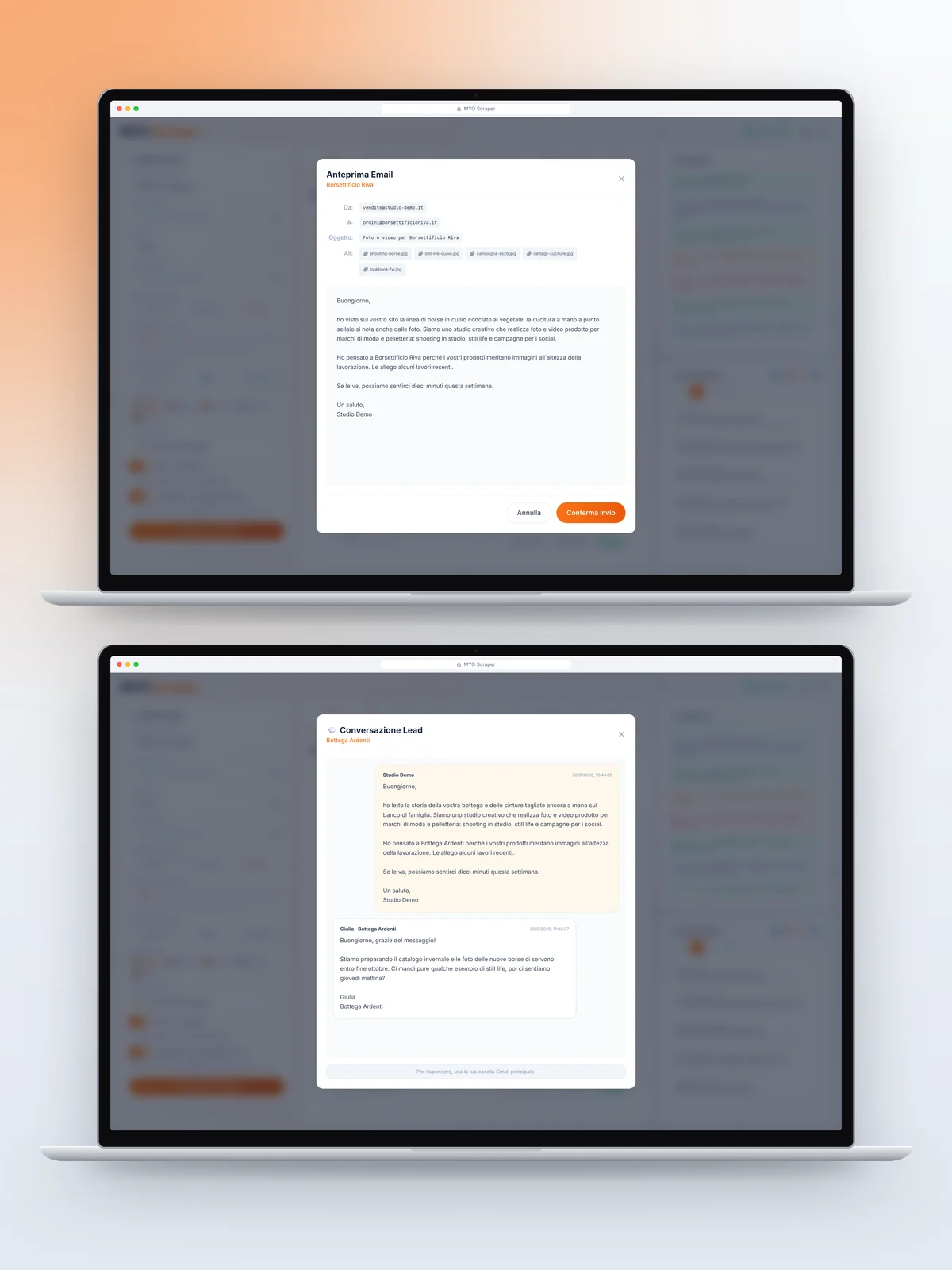
For each company the app reads the website and opens the email with a real detail, then continues with the studio’s template and a few images of our work. No invented data, a friendly tone. Replies open like a chat.
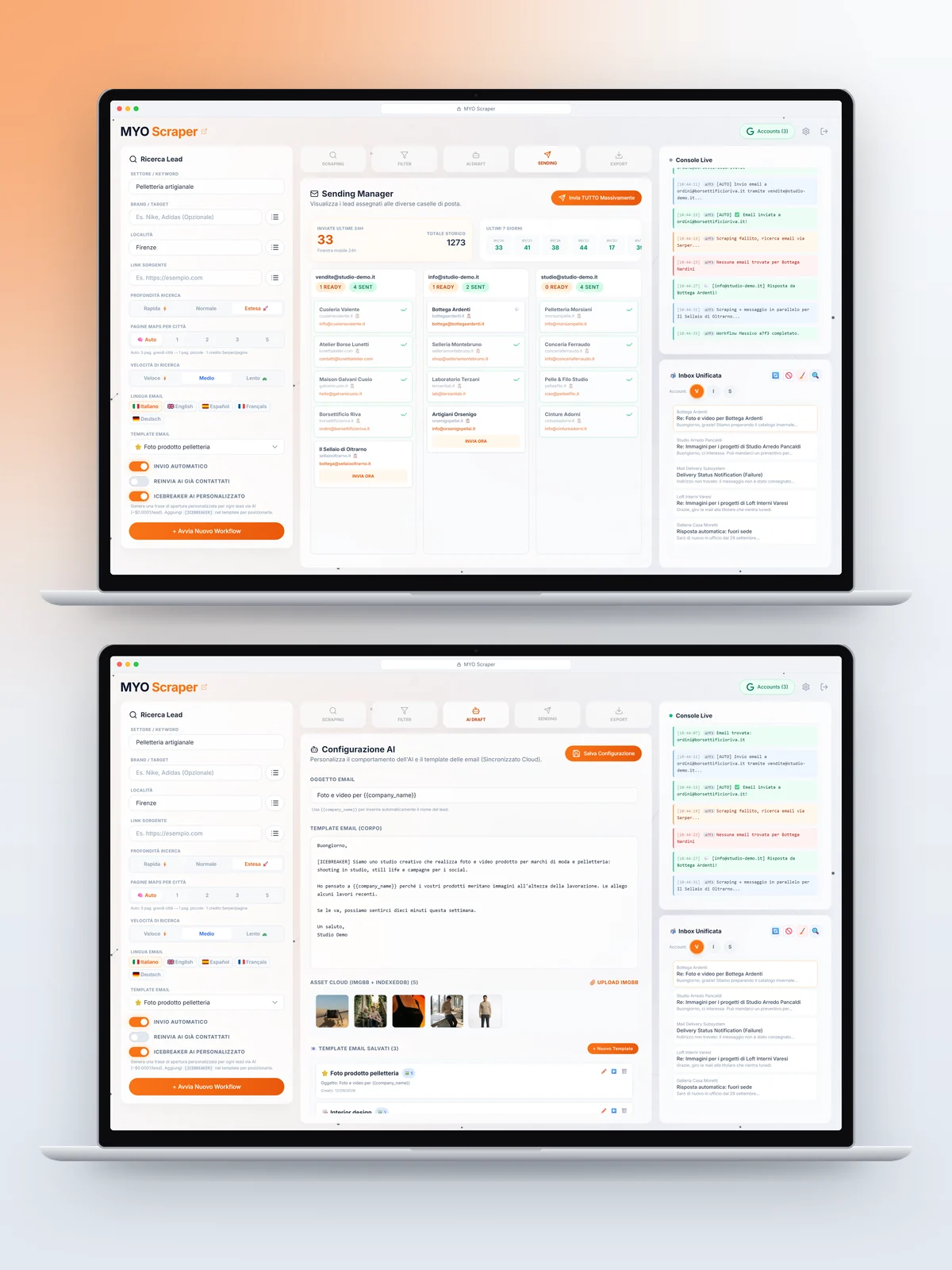
Where to search, how deep, in which language
You pick a city or a saved list of places, the search depth, the sending speed and the email language, from Italian to German. The console on the right reports every step with the time and a colour for the outcome.
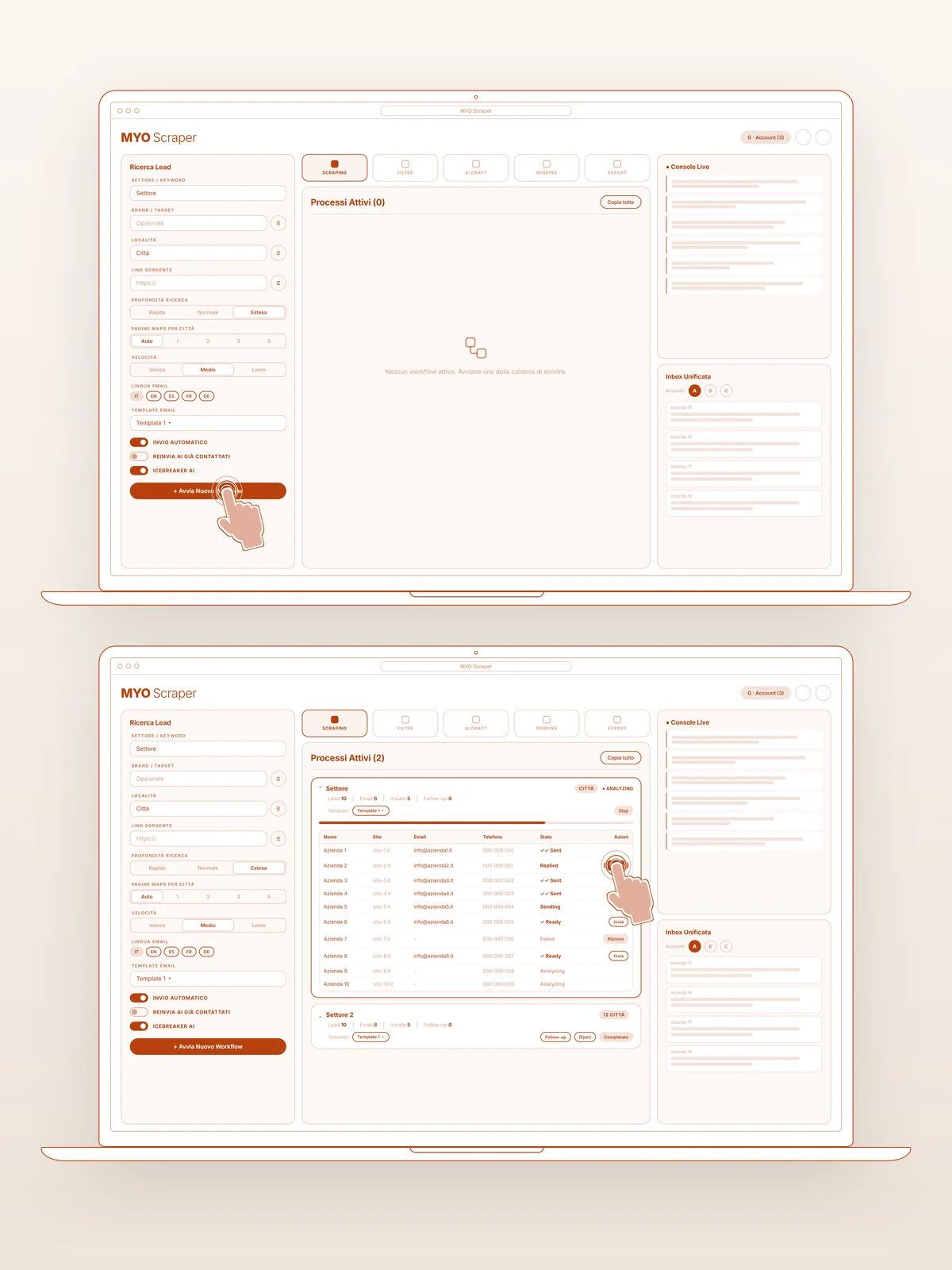
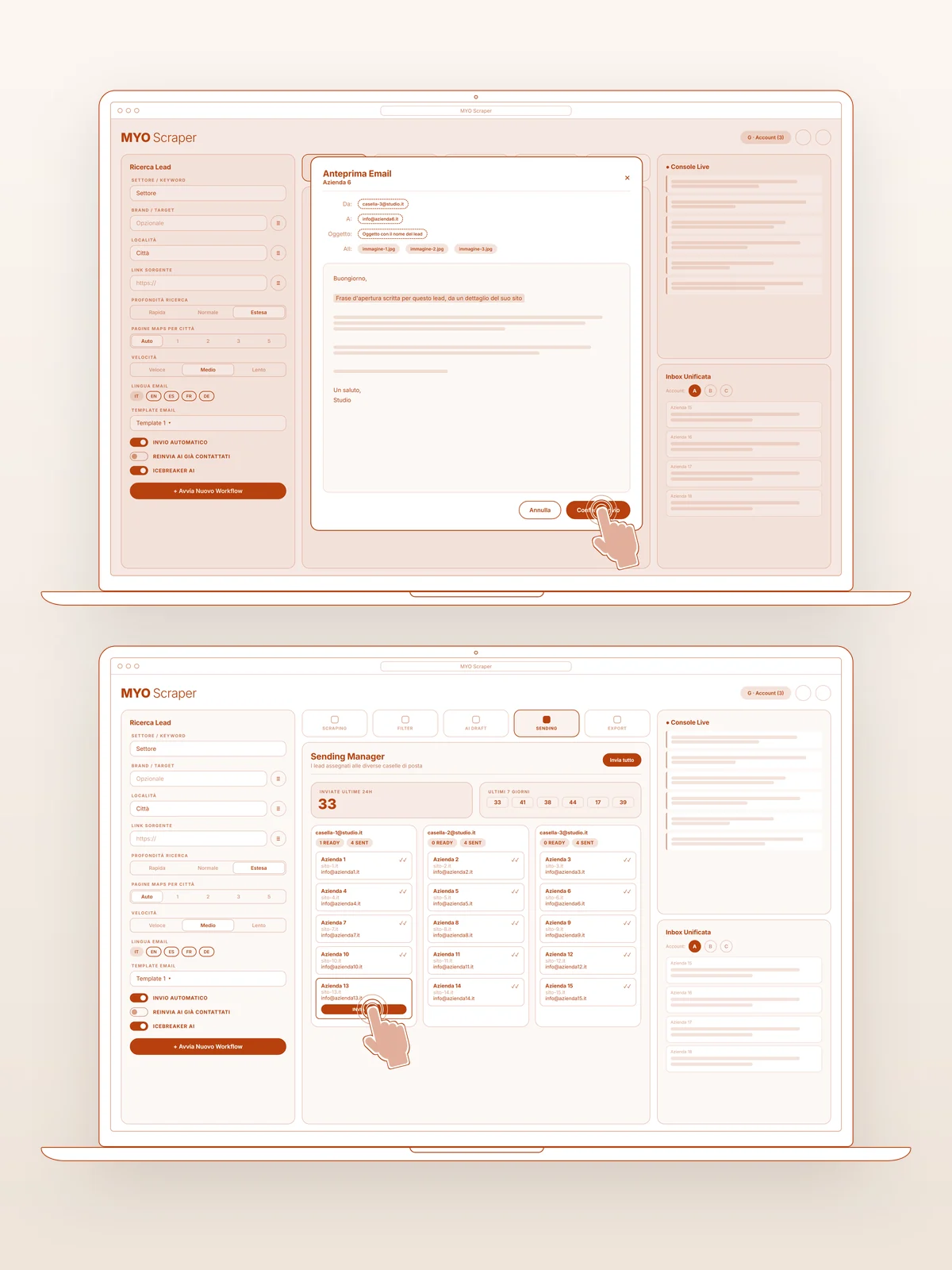
The flow drawn before the code
Search, workflow launch, email draft, sending: every step was first a bare sketch with the clicks marked on it, to check that the manual work became a clear sequence.
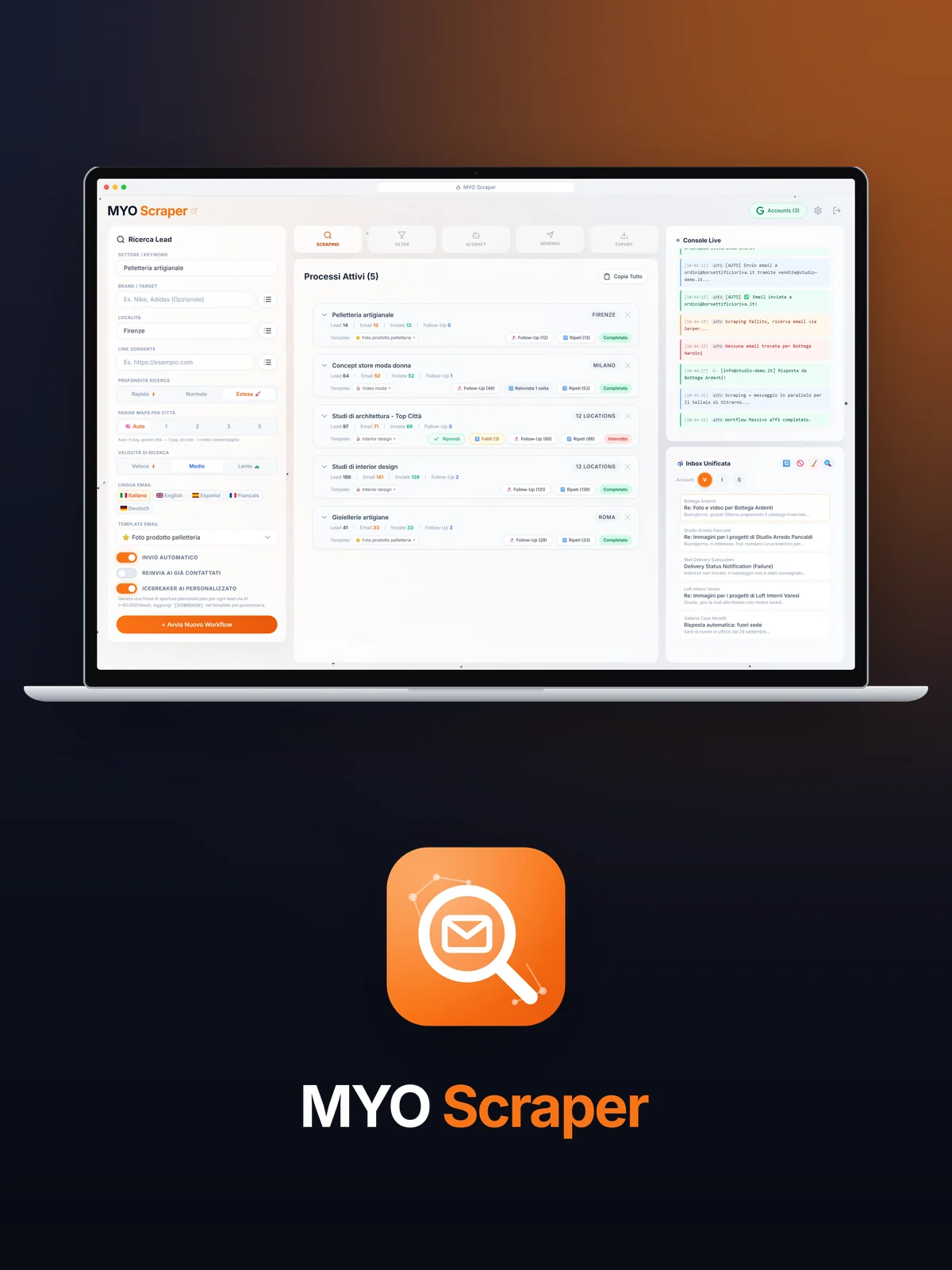
Many inboxes, no duplicates
Emails go out in rotation from several studio inboxes, with measured pauses. An address already contacted never gets the same email twice, wrong ones go to an exclusion list, and everything exports to CSV or a full backup.
Design choices, step by step
Flow
We lined up the work that used to be done by hand: finding the businesses, opening their websites, copying the emails, writing the message, sending it, remembering to follow up. Each step became a stage of the workflow, visible in the progress bar.
Writing
The base text is a studio template, with a few images of our work attached. For every business the app reads the website and adds a tailored opening line, following rules we wrote: a friendly tone, no invented facts, 120 words at most.
Control
The console logs every step with the time and a colour for the outcome: green for emails found and sent, orange for warnings, red for errors. You can always see what is happening and why.
Safe sending
Filters for social networks and marketplaces, an exclusion list, one email per address per day, automatic detection of replies, bounces and auto-replies.
Interface
Frosted-glass panels over a background of connected particles, MYO orange for actions and five tabs at the top: Scraping, Filter, AI Draft, Sending, Export.
Showreel
For the website we rebuilt the dashboard with made-up data and put it inside a laptop: the search starts, the leads come in, the emails go out and a business replies.
Got an idea for an app?
Tell us in a free call: we'll tell you how we would build it, how long it would take and what it would cost. More about our custom apps for businesses.
Book Your Video Call