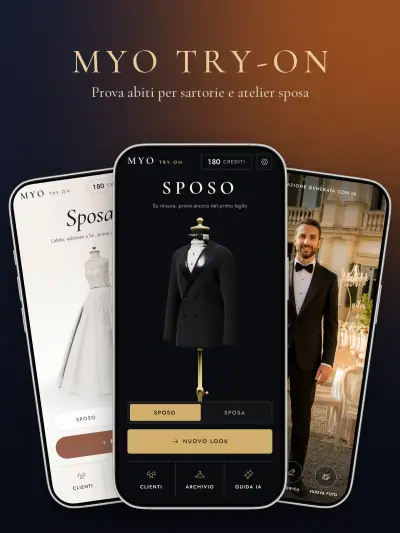
MYO Try-On — Virtual Try-On App
The client photographed in the shop and dressed in garments from the archive, on location, before the fitting.
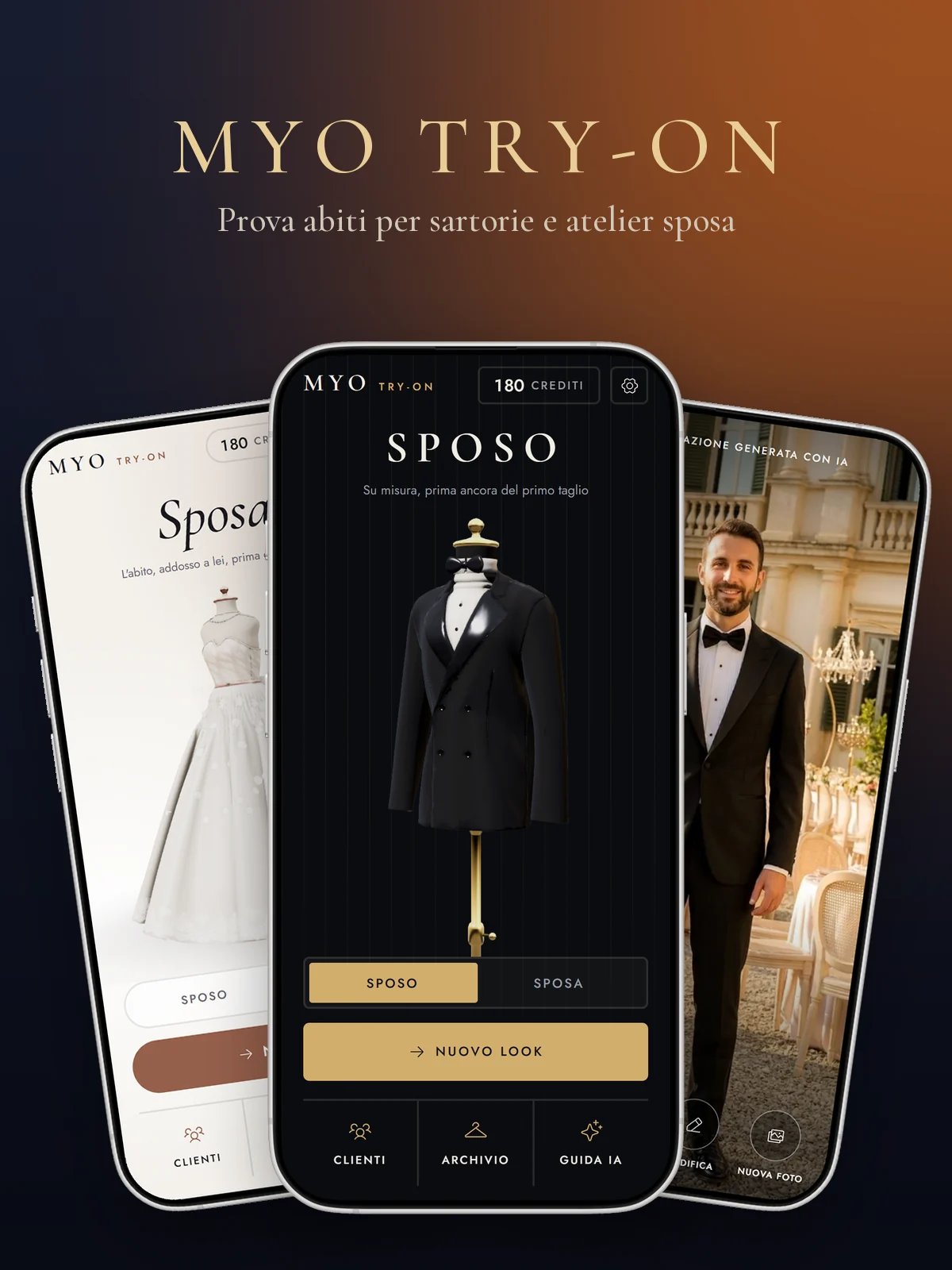
MYO Try-On is an app for made-to-measure tailors and bridal ateliers. The shop owner photographs the client in store, picks garments and a location from the shop's own archive and within minutes shows a realistic photo of how the client will look: tuxedo, waistcoat and bow tie for the groom, gown, veil and bouquet for the bride, on the steps of a church or in the garden of a villa. It is a sales tool: it shows combinations, fabrics and finishes before the client decides. The app has two visual worlds, Groom in black and gold and Bride in ivory and blush, and switches between them with a circular reveal. On the home screen a dressed 3D bust turns as the phone moves. The video above records the real prototype, with demo data.
visual worlds: Groom and Bride
shot types, from full length to detail
garment categories for the groom
rules in the guide to using the images
A 3D bust to welcome you
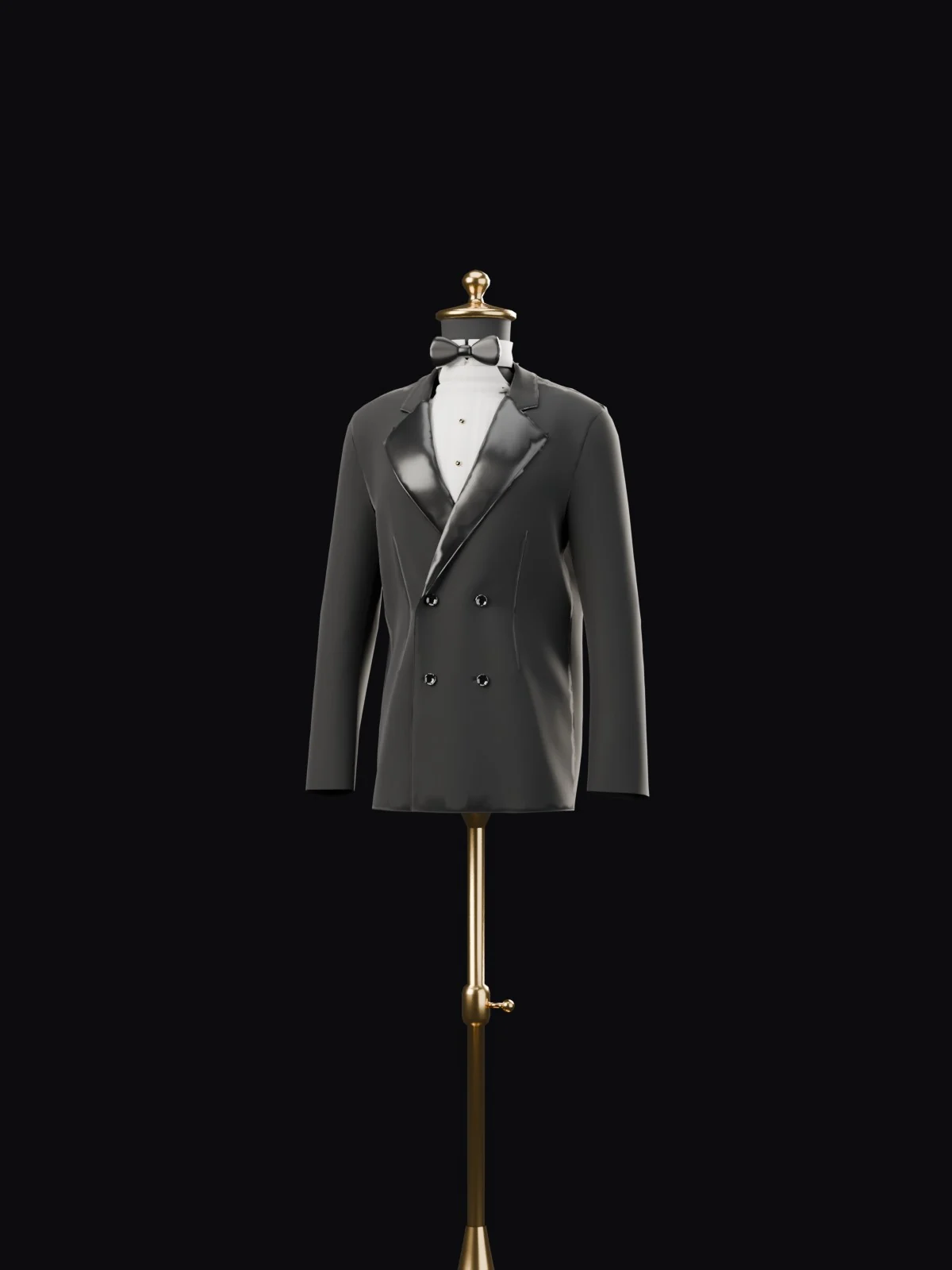
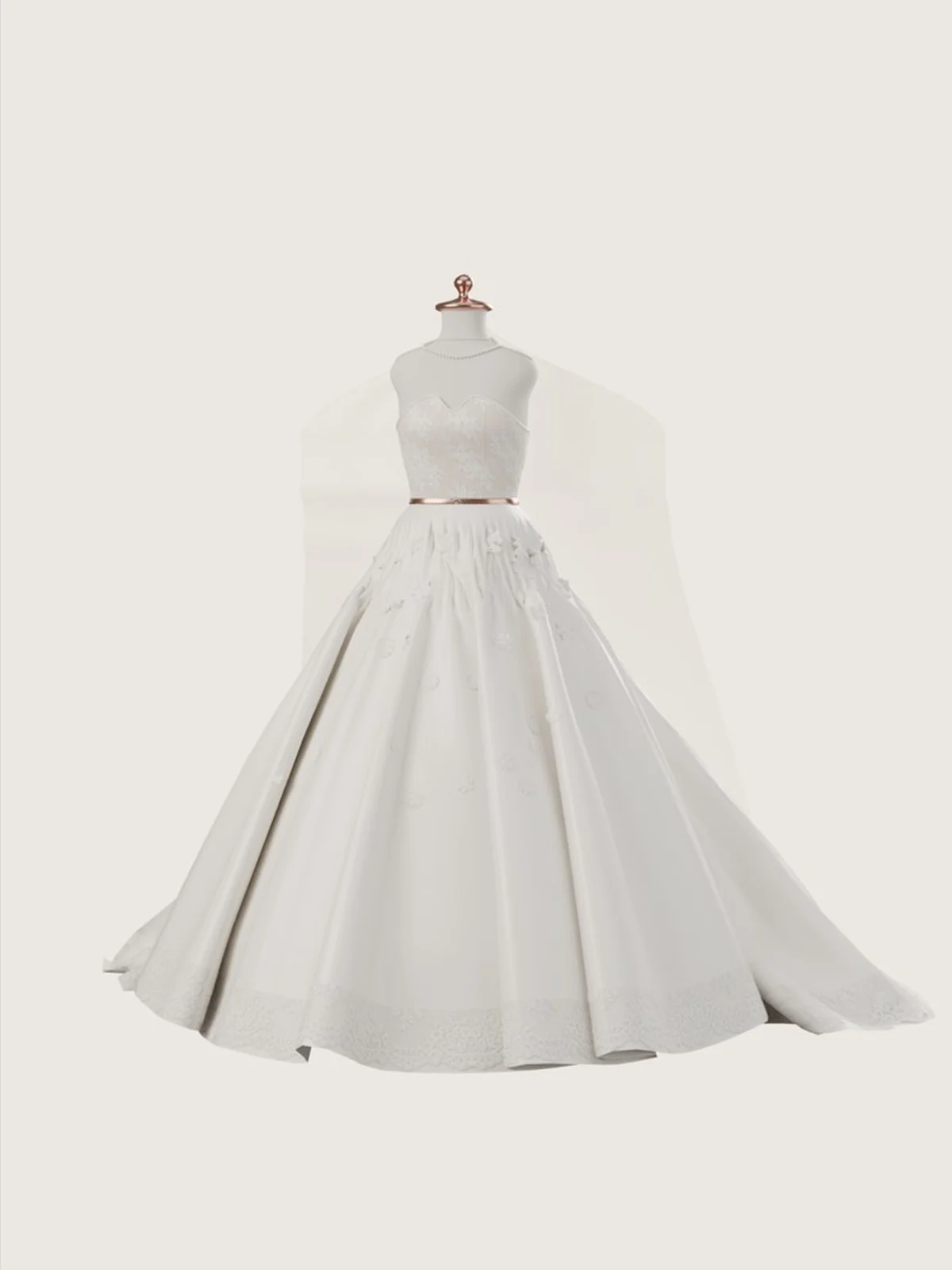
The home screen opens on a dressed bust that turns as the phone moves: a double-breasted tuxedo derived from a real sewing pattern for the groom; lace bodice, full skirt and cathedral veil for the bride. One tap on Groom or Bride switches world with a circular reveal.
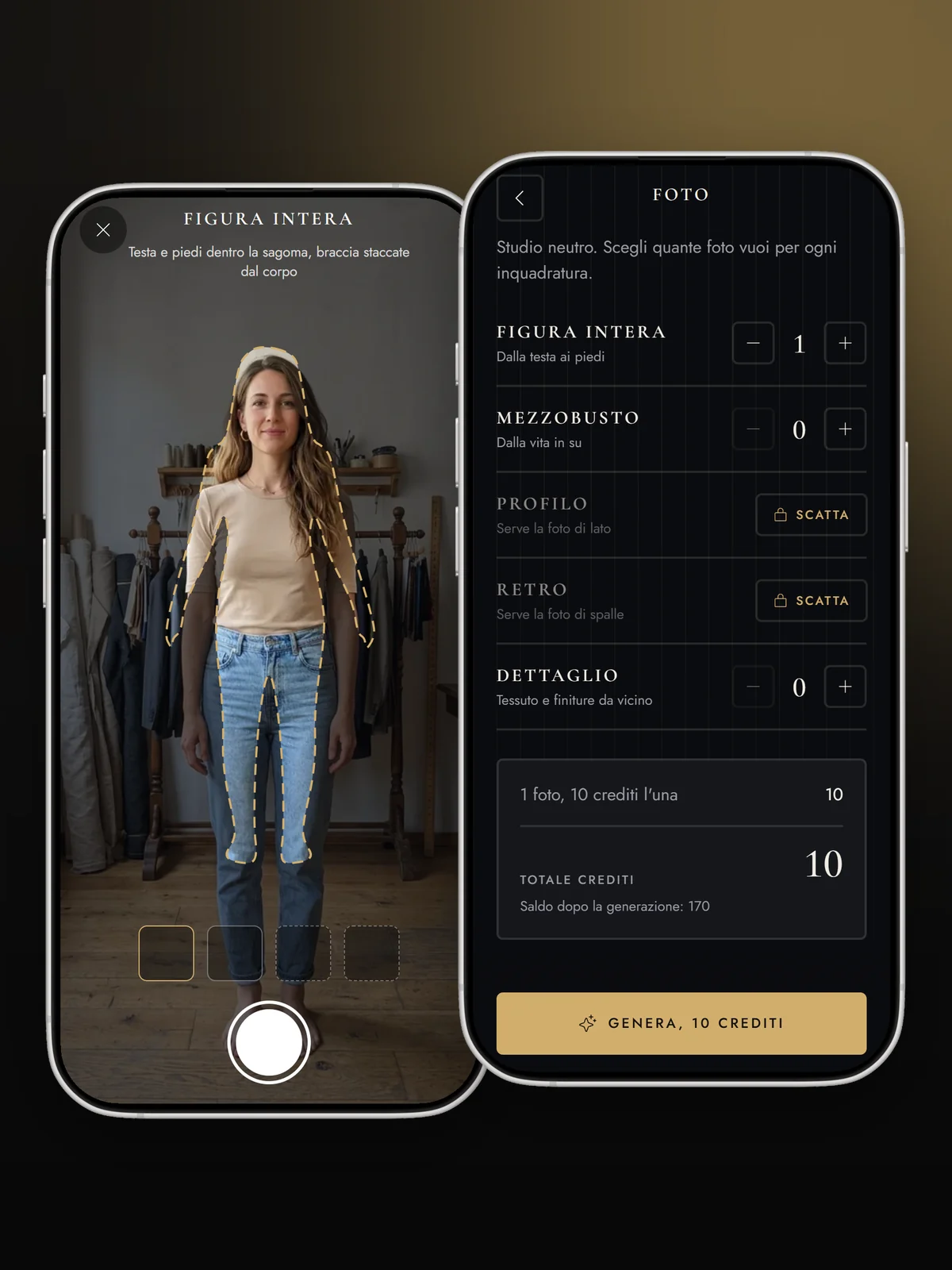
The right photo first time
An outline on screen shows how to stand: full length and half length are required, profile and back optional. Consent is read together before the shots. Then you choose the shots, with the credit quote always visible before generating.
- Male and female outline
- Consent before shooting
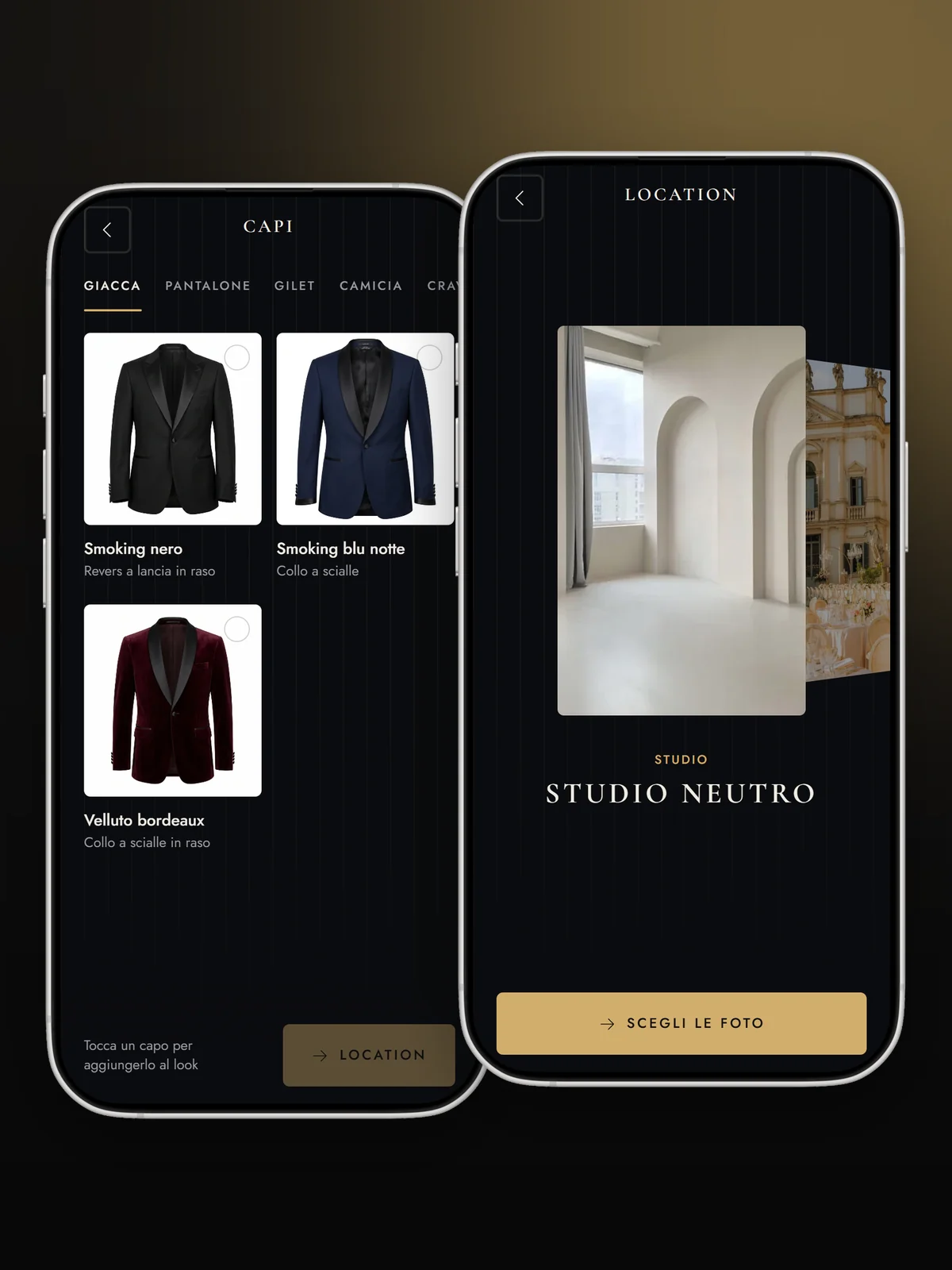
The shop’s archive, at your fingertips
Garments are grouped by category, from jacket to cufflinks: one tap adds them to the look and the thumbnail drops into the bar below. Locations slide by in a carousel: the shop’s own, the catalogue ones and the neutral studio, always available.
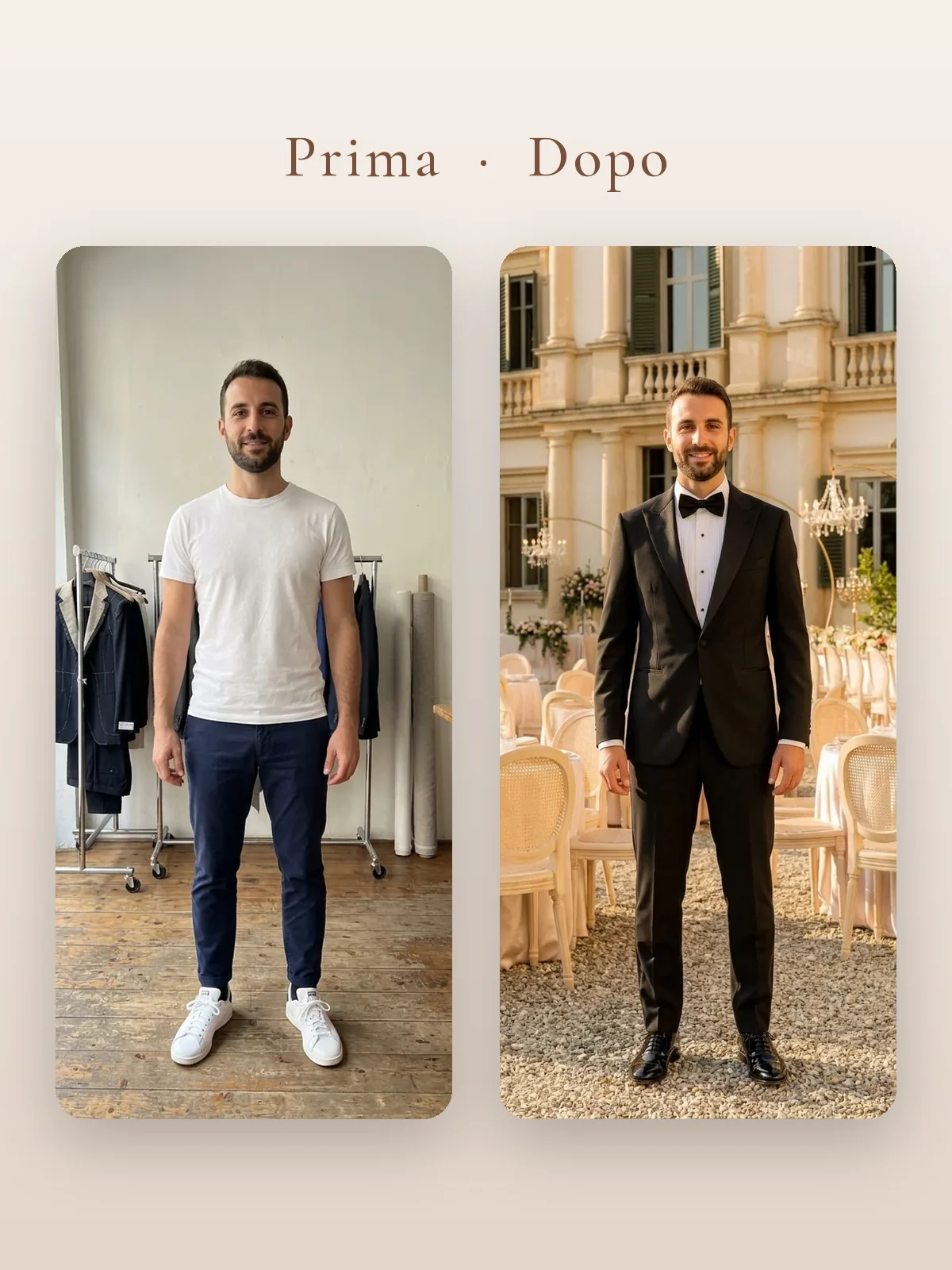
Before and after, in minutes
The client in jeans and T-shirt becomes the groom in a tuxedo in front of a villa. While waiting, the app tells the tailoring story: taking measurements, cutting the cloth, basting the look. The photo carries the line “AI-generated simulation” and can be saved or shared with or without the label.
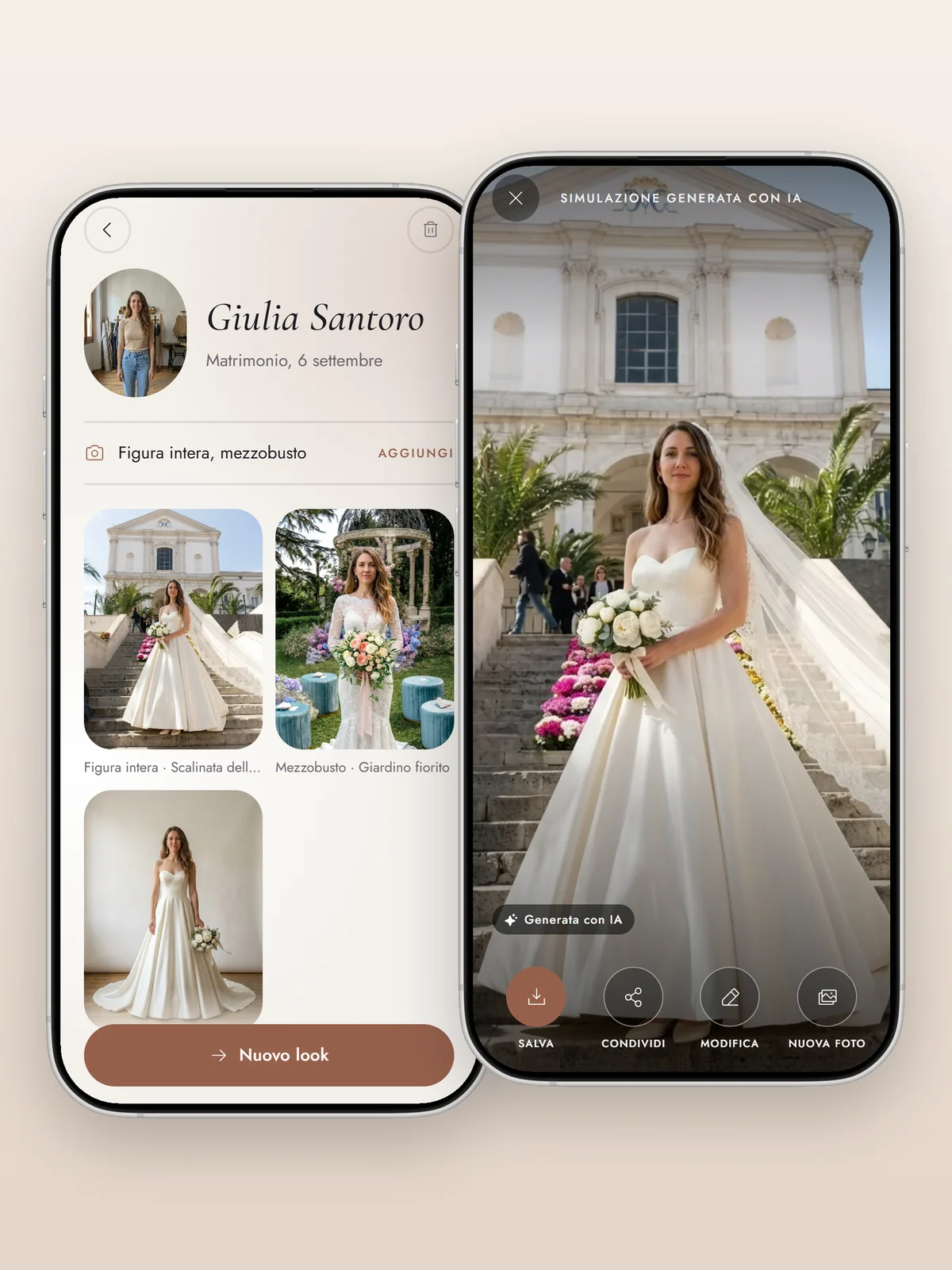
Same flow, another world
In the Bride world headings turn italic, colours become ivory and blush, motion gets softer. The client card gathers her photos and the looks already created, from the neutral studio to the flower garden.
Design choices, step by step
Research
We started from a sketch on squared paper: photo of the person, garment categories, location, photo set. Then we looked at existing apps: almost all of them are built for the bride at home or for e-commerce, none for the counter of an atelier.
Interface
One main action per screen, large buttons, no technical settings in sight. Two complete themes with different typefaces, colours and motion, built on the same components.
3D mannequins
The groom's bust wears a double-breasted tuxedo derived from a real sewing pattern, with satin lapels and onyx buttons. The bride's has a lace bodice, a crystal belt, a full skirt and a cathedral veil.
Motion
Every tap has its animation: buttons that press in, garments flying into the look, the location carousel, the credit count rolling, the photo developing.
Rules
A four-point guide explains to the shop how to use the images: they are simulations, they must be declared, consent is required, ceremonial wear only.
Showreel
For the website we recorded the prototype using itself, from the home screen to the result.
Got an idea for an app?
Tell us in a free call: we'll tell you how we would build it, how long it would take and what it would cost. More about our custom apps for businesses.
Book Your Video Call